
بِسْمِ ٱللَّهِ ٱلرَّحْمَٰنِ ٱلرَّحِيمِ
The Arabic is locked.
The mushaf text ships as a verified, versioned dataset. No feature and no AI model writes, alters or paraphrases it.
Now on Windows and Mac
A desktop editor for Quran recitation videos. Verified mushaf text, translations you can edit, timings you set by ear.
Ayah Editor is a desktop app. Open this page on your Windows PC or Mac to install it.
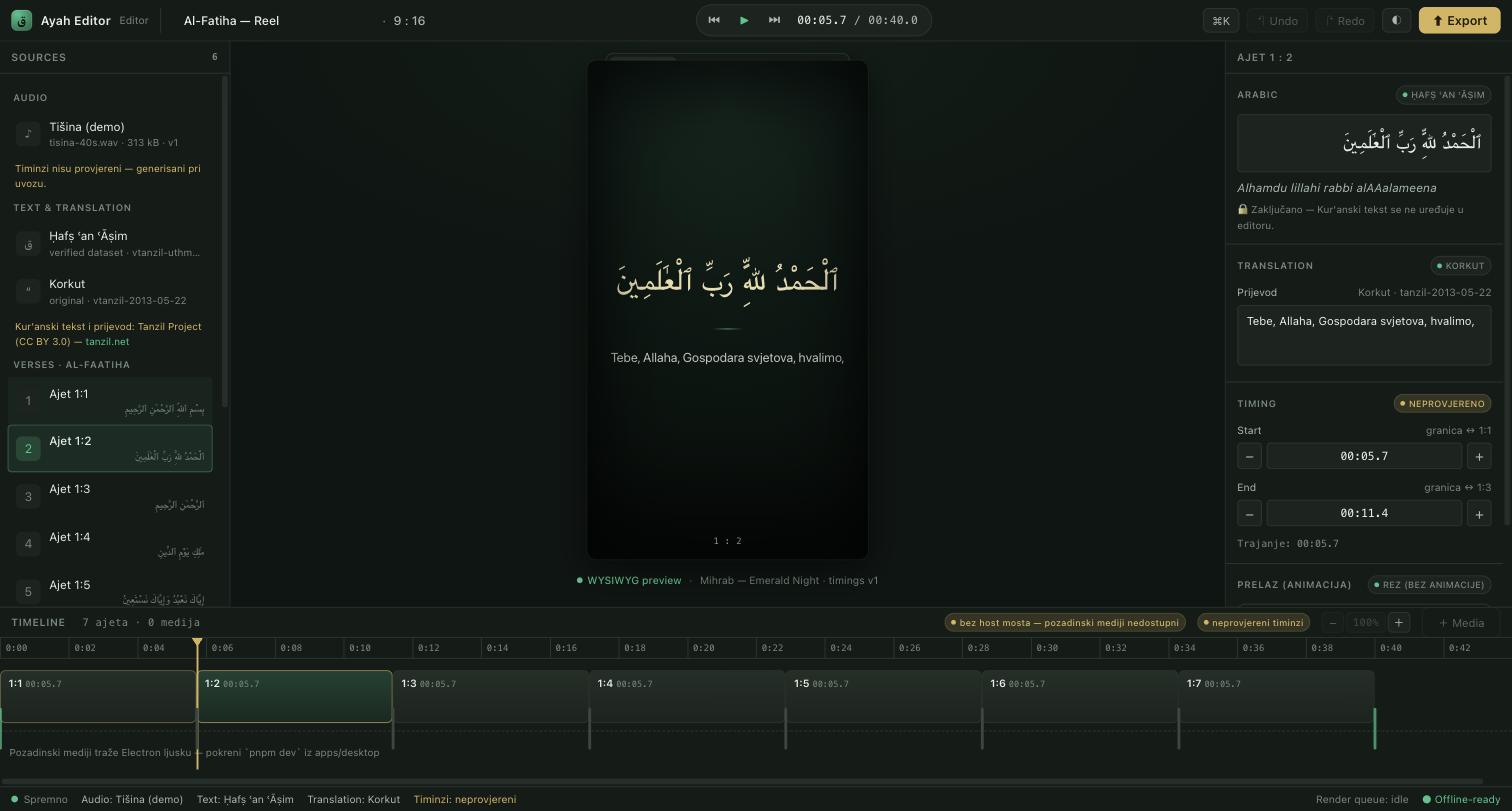
One-click Quran video generators pick the timing, the translation and the layout, and never say where any of it came from. When the text is sacred, close enough is not a standard.
بِسْمِ ٱللَّهِ ٱلرَّحْمَٰنِ ٱلرَّحِيمِ
The mushaf text ships as a verified, versioned dataset. No feature and no AI model writes, alters or paraphrases it.
Text, translation, audio and timings carry a badge with their origin and version. Change a translation line and it is marked as modified.
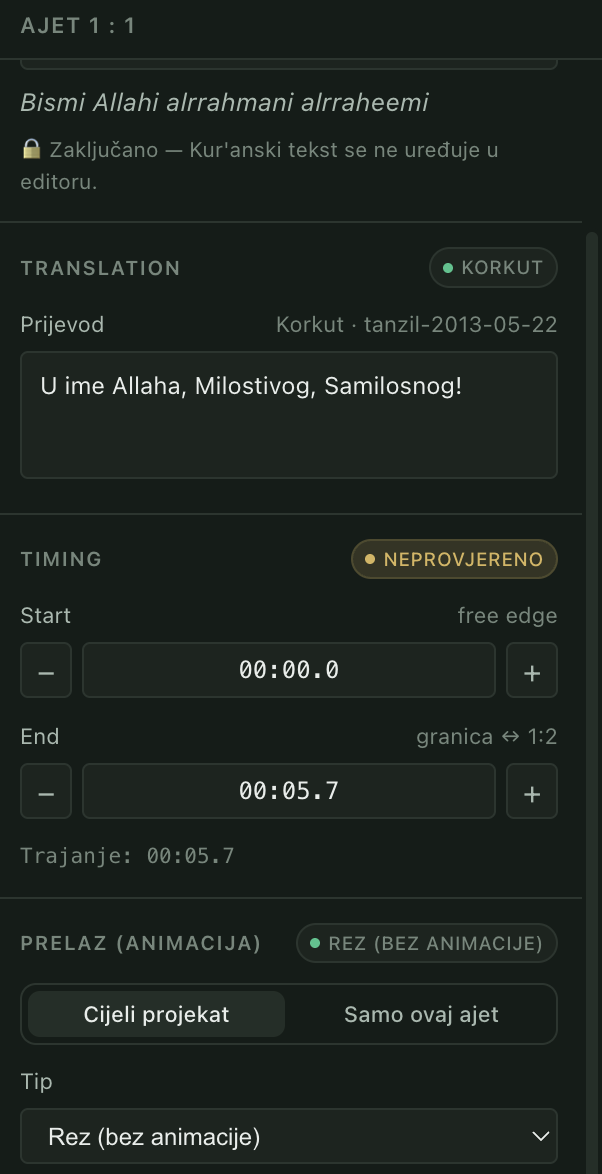
One frame component draws both, so the MP4 matches what you approved, pixel for pixel.
The mushaf and translations are bundled, projects are local files, and rendering runs on your own hardware.
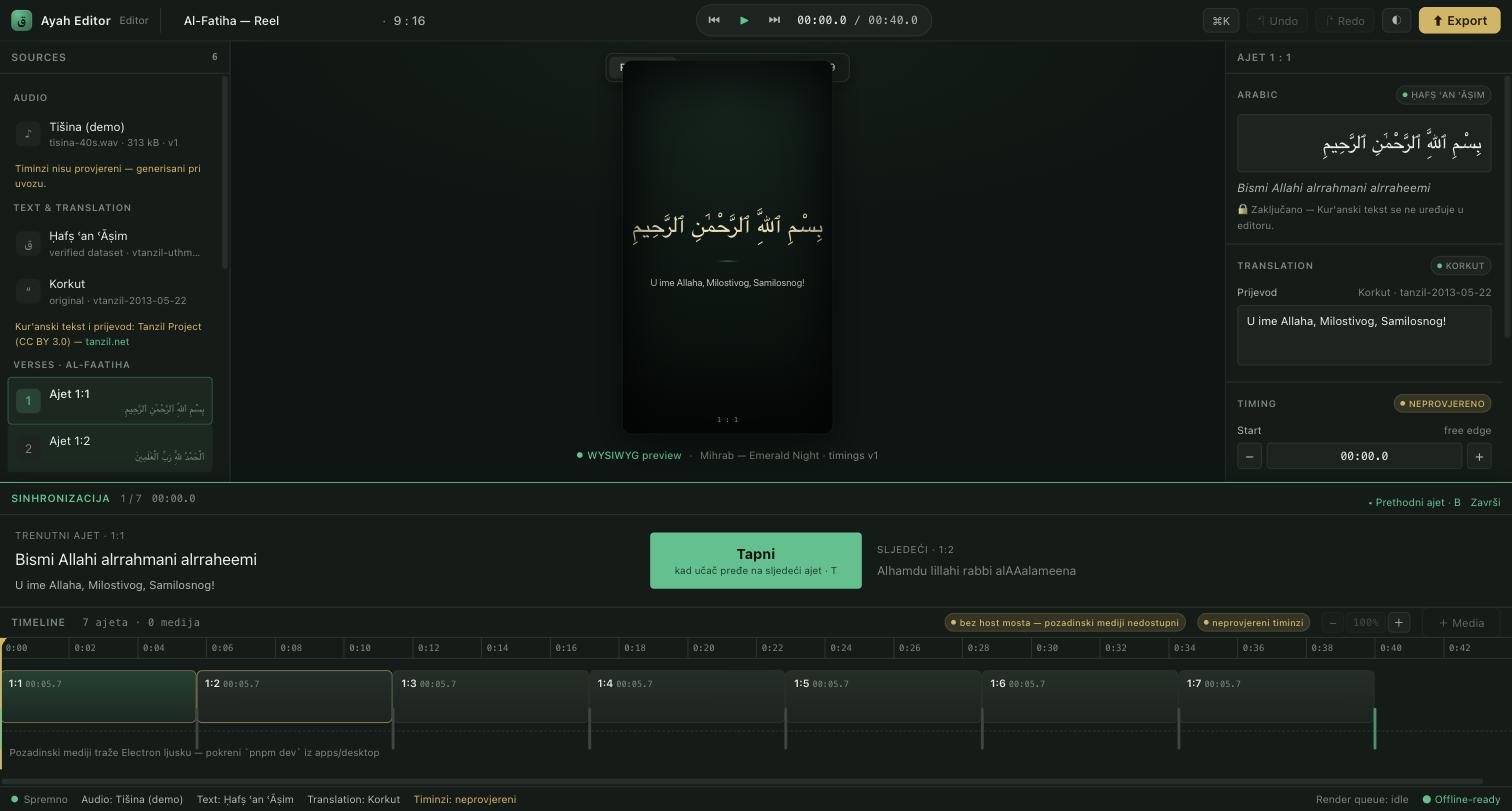
Your own recitation has no ready-made timings. Press ⇧⌘S and the sync bar shows the current verse in Latin transliteration, with its translation and the next verse beside it. Tap T when the reciter moves on.
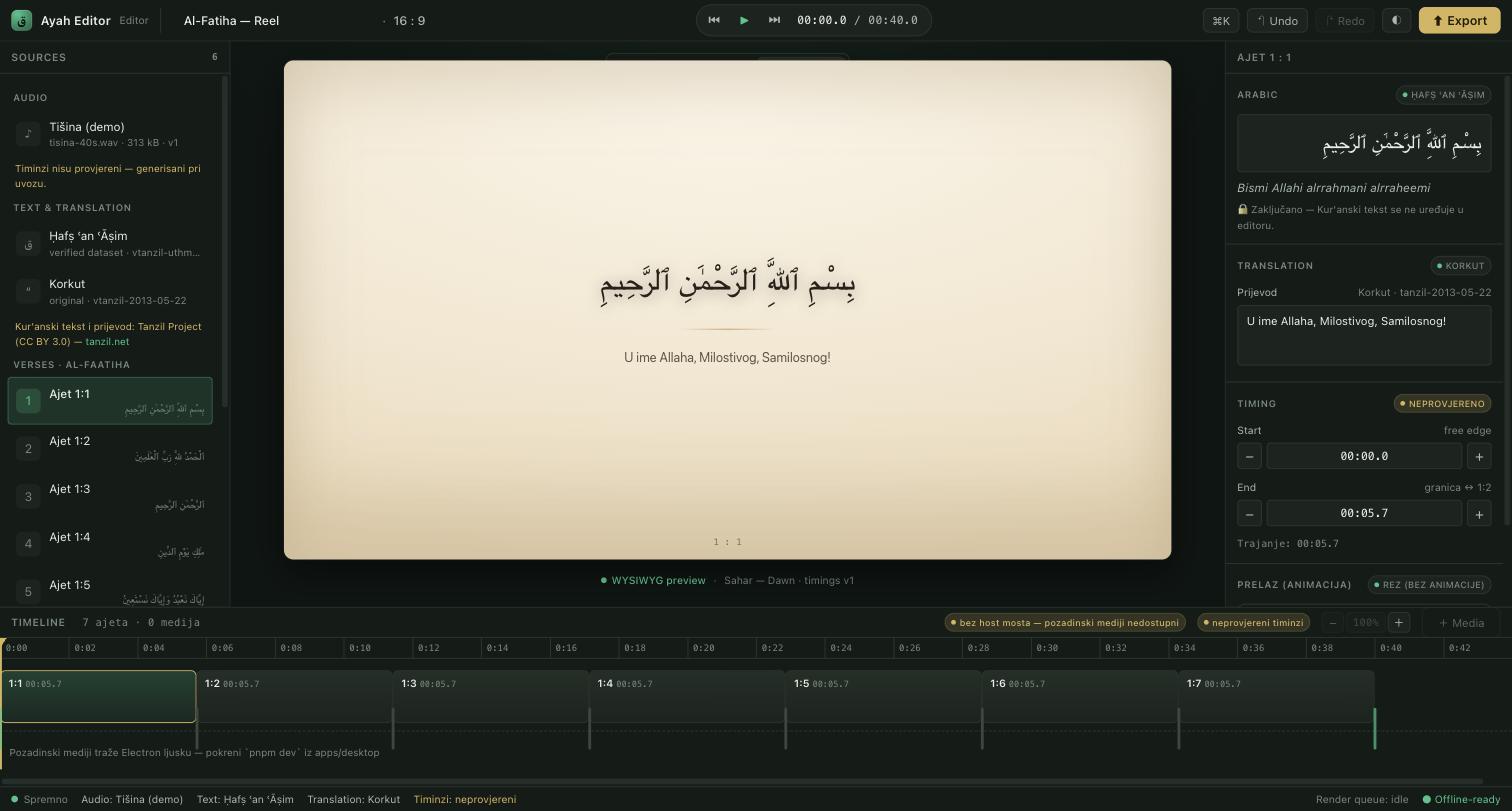
Switch between Reel 9:16, Square 1:1 and YouTube 16:9. The layout scales as a single transform, so type, spacing and line breaks stay identical at any size.
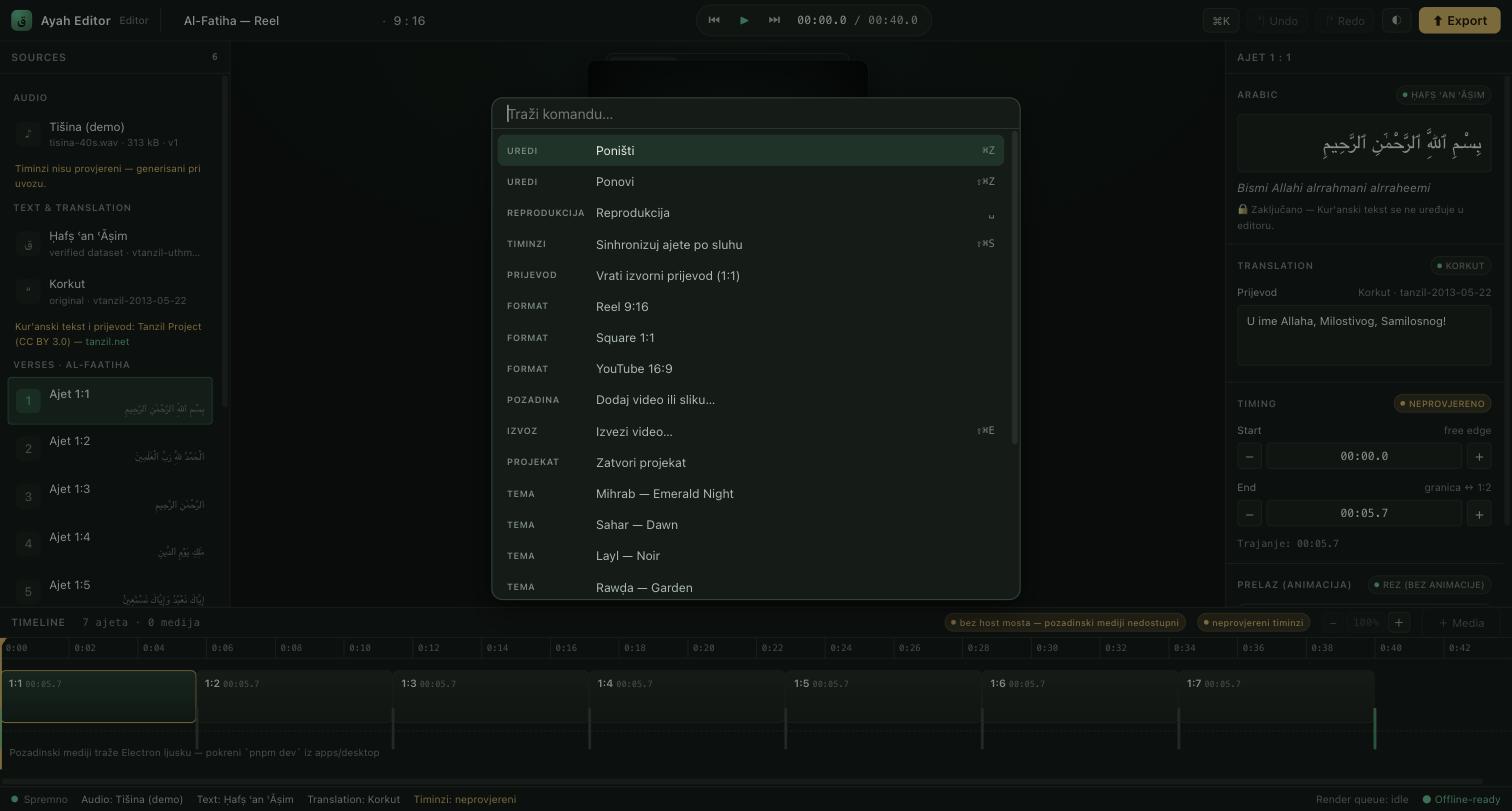
⌘K opens a palette with everything the editor can do. Drag a clip boundary and the whole gesture commits as one event, so ⌘Z reverts the drag, not thirty pixels of it.
The parts that make a real project possible. Read the deep dive.
Drop video or stills from Finder or Explorer, trim either edge, and leave gaps for the theme to show through.
Media stays where it is, so projects stay small. A moved file is flagged and can be relinked.
Cut, fade, slide, rise or scale between ayat, project-wide or per verse, plus crossfades between clips.
Import MP3, M4A or WAV, including your own voice, or lay out a project on a silent demo track first.
The interface speaks both, with Saheeh International and Besim Korkut translations bundled.
A single .qsproj document holds the audio reference, every edit and the full provenance.
وَرَتِّلِ ٱلْقُرْءَانَ تَرْتِيلًا
"And recite the Quran with measured recitation." Al-Muzzammil 73:4
Accuracy above everything. AI assists; it never authors.
Six moves, all on your own computer.
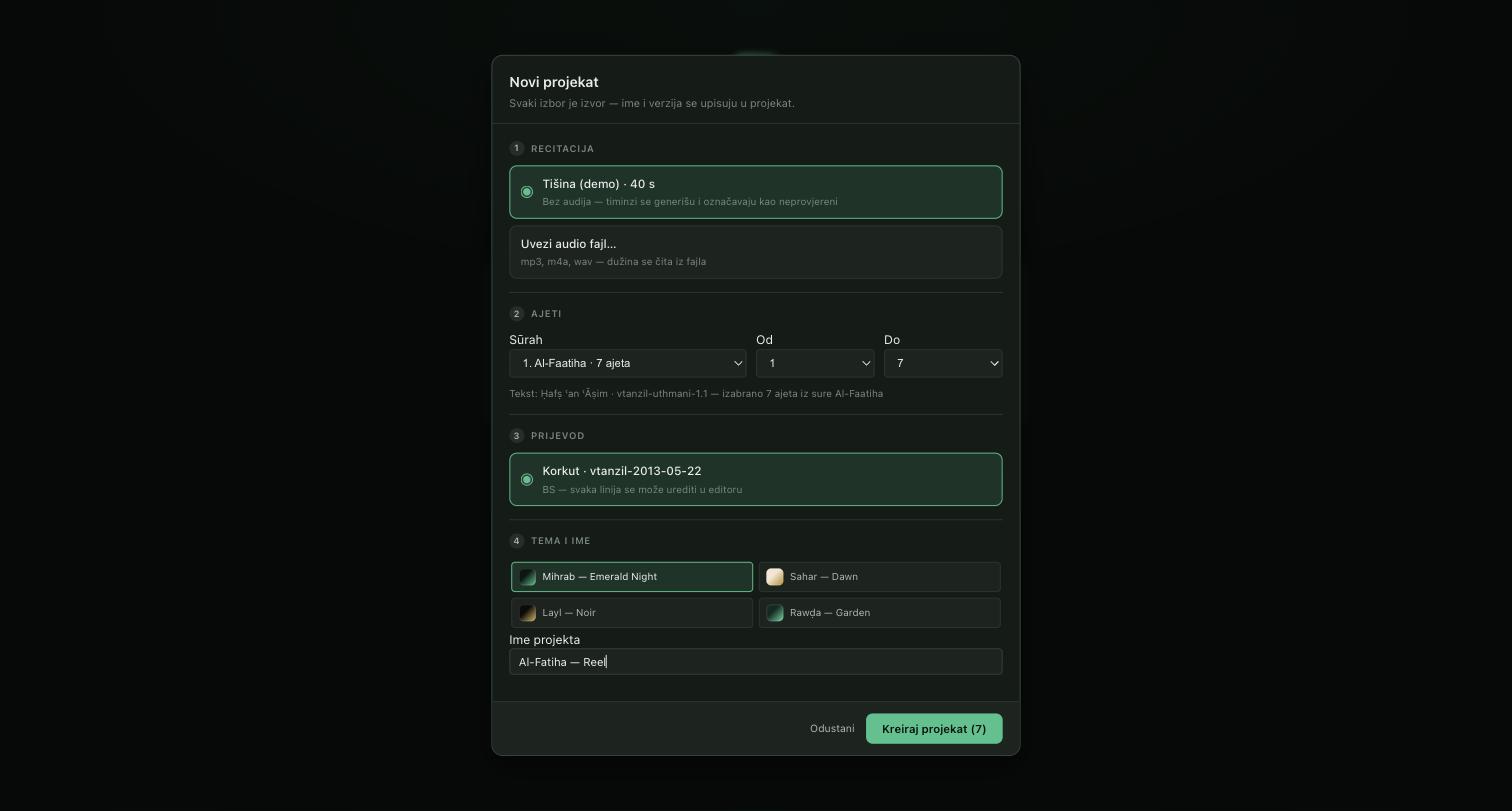
The new project wizard records the source and version of every choice.
Pick a recitation (your own file, or the silent demo track), a surah and ayah range, a translation and a theme.
Play the audio and tap T at every boundary, following the transliteration. Then drag any boundary to make it exact.
Adjust translation lines where the wording matters to you. Changed lines are marked; the original is one click away.
Choose a theme, drop background video or stills onto the media track, and set how the text moves from ayah to ayah.
Switch to Reel, Square or YouTube and scrub the timeline. What you see is the frame that gets encoded.
⇧⌘E encodes an H.264 MP4 on your machine and shows progress frame by frame.
The editor resolves what to draw; an engine decides how. They meet at a plain frame description, so an export can be checked offline, read as a JSON plan, and re-encoded without touching the editor.
project state ──▶ validate ──▶ compose ──▶ RenderSpec ──▶ encode ──▶ project.mp4
                                    (plain data)     (Remotion + FFmpeg,
                                                      on your machine)
.qsproj with every edit and its provenance.Free: the full editor and full-quality export, with a small watermark on exported video. Support the project to remove it.
Need a plain installer instead? See all downloads.
Not sure which? Apple menu, About This Mac. "Apple M1" or newer means Apple Silicon.
Latest version: 0.1.5. Release notes on GitHub.
Something missing? Write to info@ayaheditor.com.
Yes. The full editor and full-quality export are free, with a small "Made by Ayah Editor" line on exported video. If you want to support the project, Premium is a one-time payment from 15 € that removes it and adds premium themes.
Not yet. Ayah Editor is a desktop app for Windows and macOS. Open ayaheditor.com on the computer you edit on to install it.
No. The Arabic is never generated. It ships as a verified, versioned dataset from the Tanzil Project and is read-only inside the editor. AI is not used to produce, alter or time the sacred text.
Yes, or you can start on a silent demo track and add audio later. Ayah Editor ships no recitations, because distributing a reciter's work requires their rights. Import your own MP3, M4A or WAV, including a recording of your own voice, and place the verse boundaries by ear.
That is the case the sync workflow was built for. The sync bar shows the current verse in Latin transliteration as the largest text on screen, its translation beneath and the next verse's opening words beside it. You follow the recitation by ear and tap T at each boundary. The transliteration is an editing aid and never appears in the video.
Yes. One frame component draws both: the editor scales it on screen, the exporter scales the same geometry to real pixels. Automated golden tests compare the two, so a change that would make them drift fails the build.
Yes. The mushaf text and translations are bundled, projects are files on your disk, and rendering runs on your own computer. The only download is a one-time fetch of the video encoder on your first export. There is no account, and your projects are never uploaded.
H.264 MP4 at 1080x1920 for Reels, Shorts and TikTok, 1080x1080 for square posts, and 1920x1080 for YouTube, all at 30 fps.
The Mac build is not code-signed yet. In Applications, right-click Ayah Editor, choose Open, and confirm. You only do this once. The Windows version is signed by Microsoft through the Microsoft Store, so it installs without a warning.
Yes. Every translation line is editable, and changed lines are clearly marked. The app knows only the concept of a translation provider, not any specific language, so new languages can be added as plugins.
One short email per release. No newsletter, and your address is never shared.